How to build ✨Magic Mirror✨ with Raspberry Pi
We use the same old mirrors every day: when we brush our teeth, wash our faces, or get ready to go out. Can it make it so that something more interesting is happening?
Part 1: Smart Mirror
Introducing Smart Mirror
MagicMirror is an open-source modular smart mirror platform. You can use this platform to add cool features such as displaying your google task, playing songs from your Spotify account, (add something), and many more to make your mirror more interactive.
What makes smart mirrors special is that it is a modular platform. You can simply install the modules and easily customize your magic mirror. There are default modules including weather, calendar, and news and you can find many more 3rd parties here.
I built the Magic Mirror project with Sohee Kim as an independent study in spring 2022. It was my first time building projects utilizing Raspberry pi and I will say it is one of the most interesting projects that I ever had!
Gathering Materials
- Raspberry Pi 4: MagicMirror² is developed to run on a Raspberry Pi.
- Micro SD Card
- HDMI (Micro HDMI)
- Monitor (32 inch)
- Two way Mirror
- Wood Frame
Optional : Raspberry Pi Camera Module, Microphone
How to run Hello World for Magic Mirror
1 — Connect the Raspberry Pi to a charger, keyboard, and mouse
2 — Follow the steps on Raspberry Pi OS Setting
- Install the Operating System on SD card: Raspberry Pi Imager
- Configure on First Boot
- Use Network Installation
- Optional: connect via SSH so that you can code on your laptop.
3 — Git clone Magic Mirror Repository
4 — Run it!
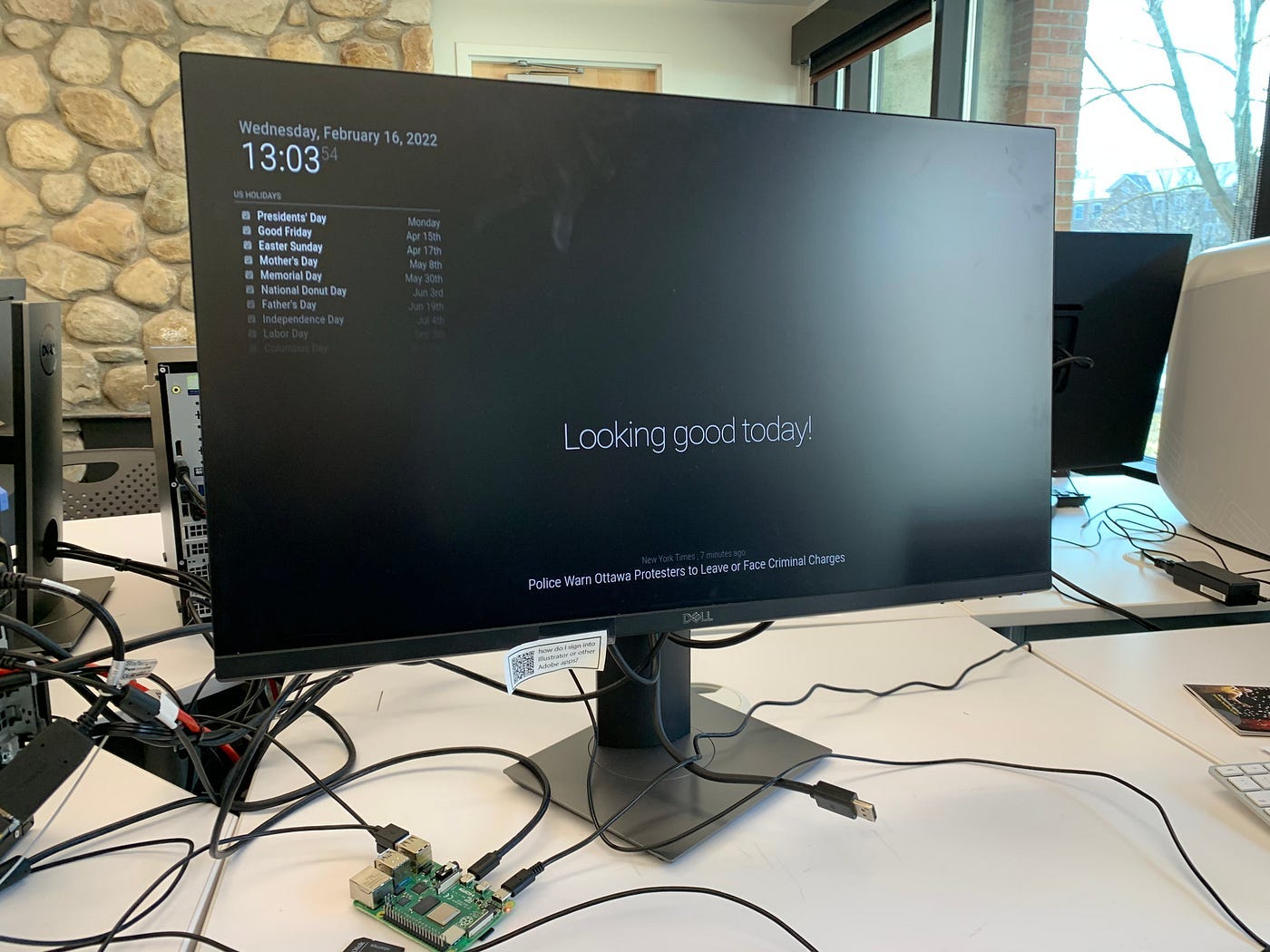
Ta-da! Now we have Magic Mirror running. Although it looks like a desktop screensaver right now, once we add more features and a mirror, it might look like Jarvis from iron man!
Let’s take a closer look at the modules.
Magic Mirror and Modules
Modules are the fundamental building blocks for Magic Mirror. All modules have the same structure, so it is a good idea for you to study one of the modules to understand the structure and how they work.
Configuration
All the modules are placed under the modules folder. The default modules provided by Magic Mirror are under the modules/defaults folder. If you want to add a third party module, you can simply download the file and move it under the modules folder.
Now that you have a list of modules you want to use, let’s add it to the js/default.js file.
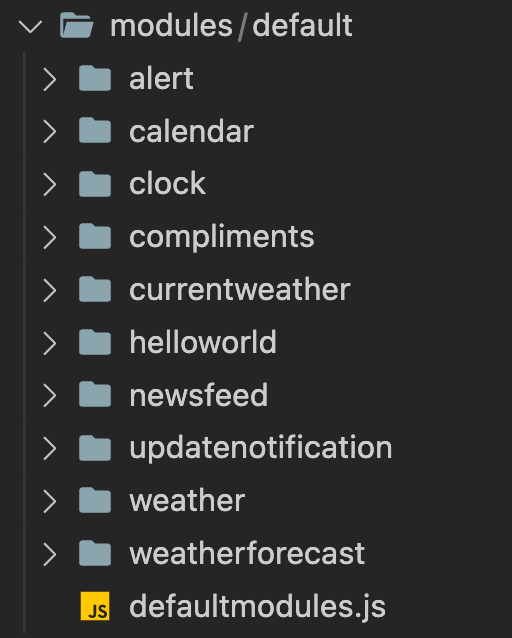
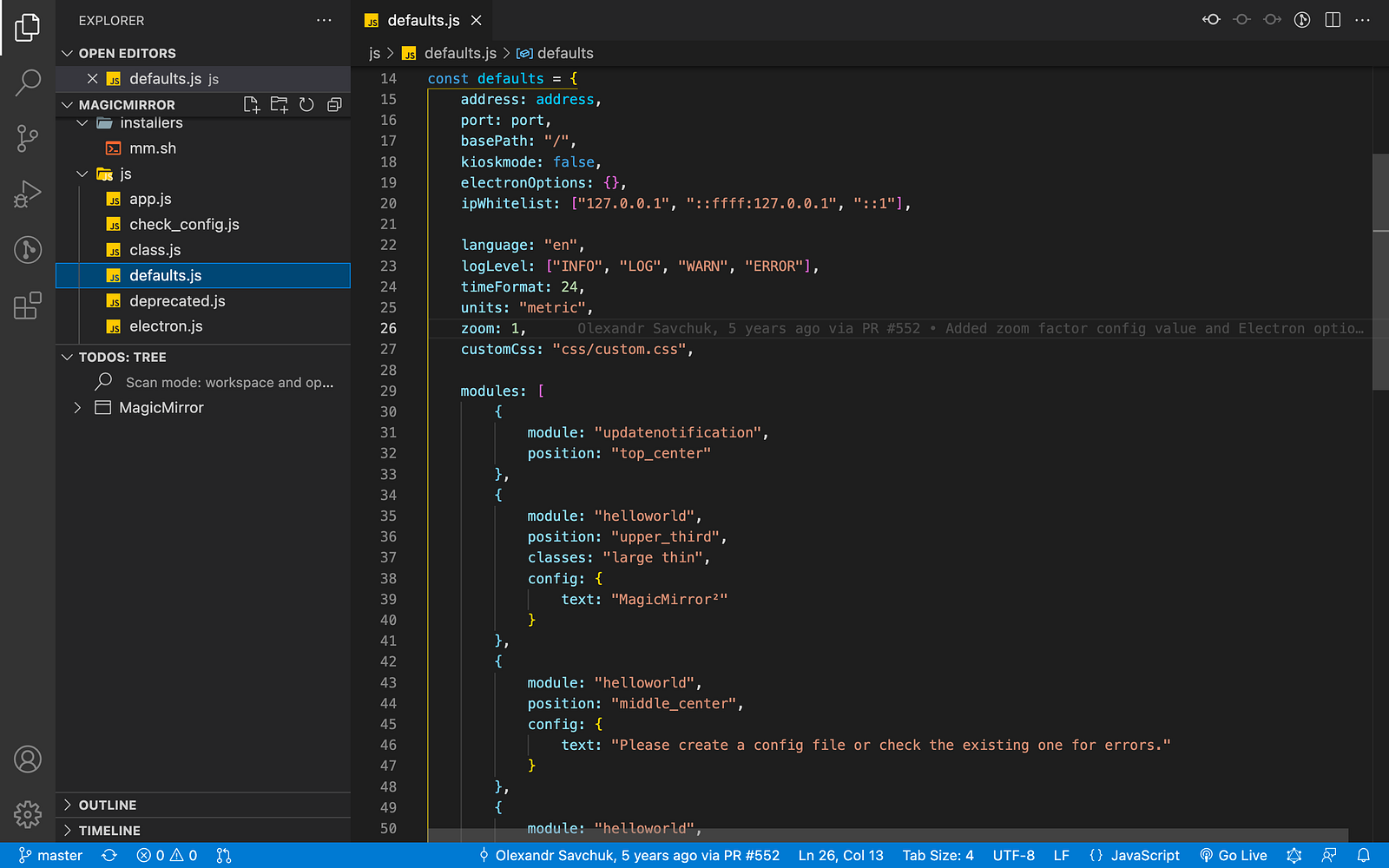
In default.js file, you can find the list of modules in the defaults object. Once you add the module, you’ll be able to see the modules once you reload it.
Adding a module is very simple.
- Add module name (i.e. module: nameOfModule)
- Add position (i.e. top_bar , top_left , top_center , top_right , upper_third , middle_center , lower_third , bottom_left , bottom_center , bottom_right , bottom_bar , fullscreen_above , and fullscreen_below)
- Add config
Configuration depends on modules. You can check the module’s documentation and check what kind of information you can pass in.
Constructing the mirror frame
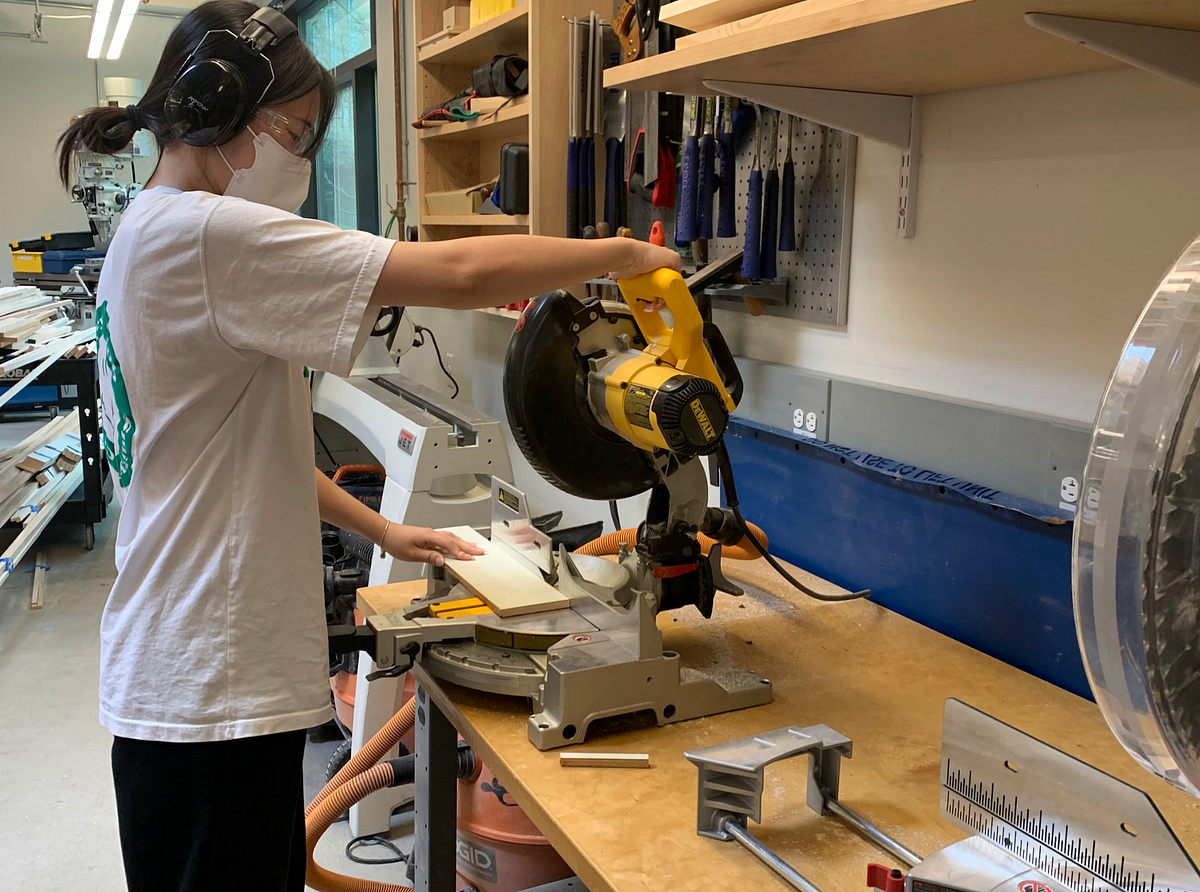
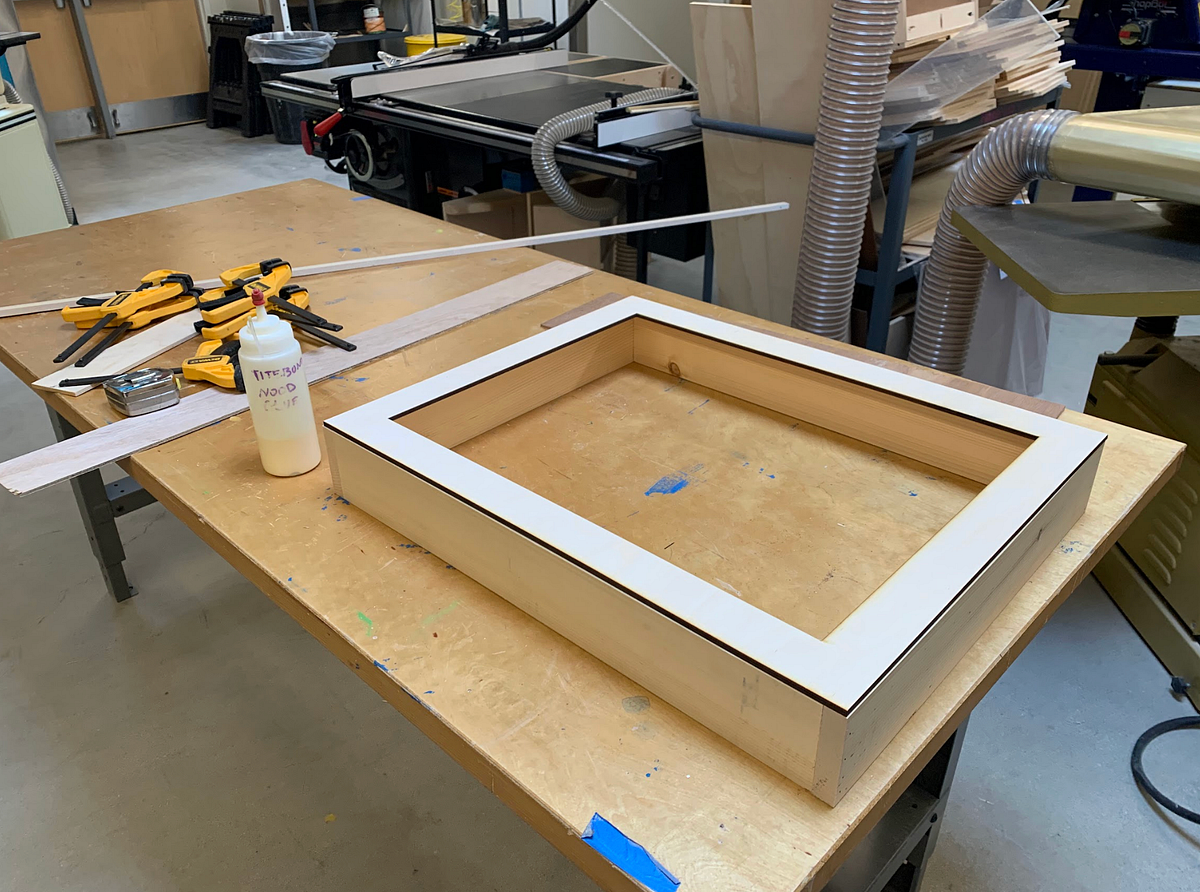
We visited our school’s maker space to construct the frame for the two-way mirror and monitor, utilizing tools such as a hand saw, electric saw, and razor cutter.
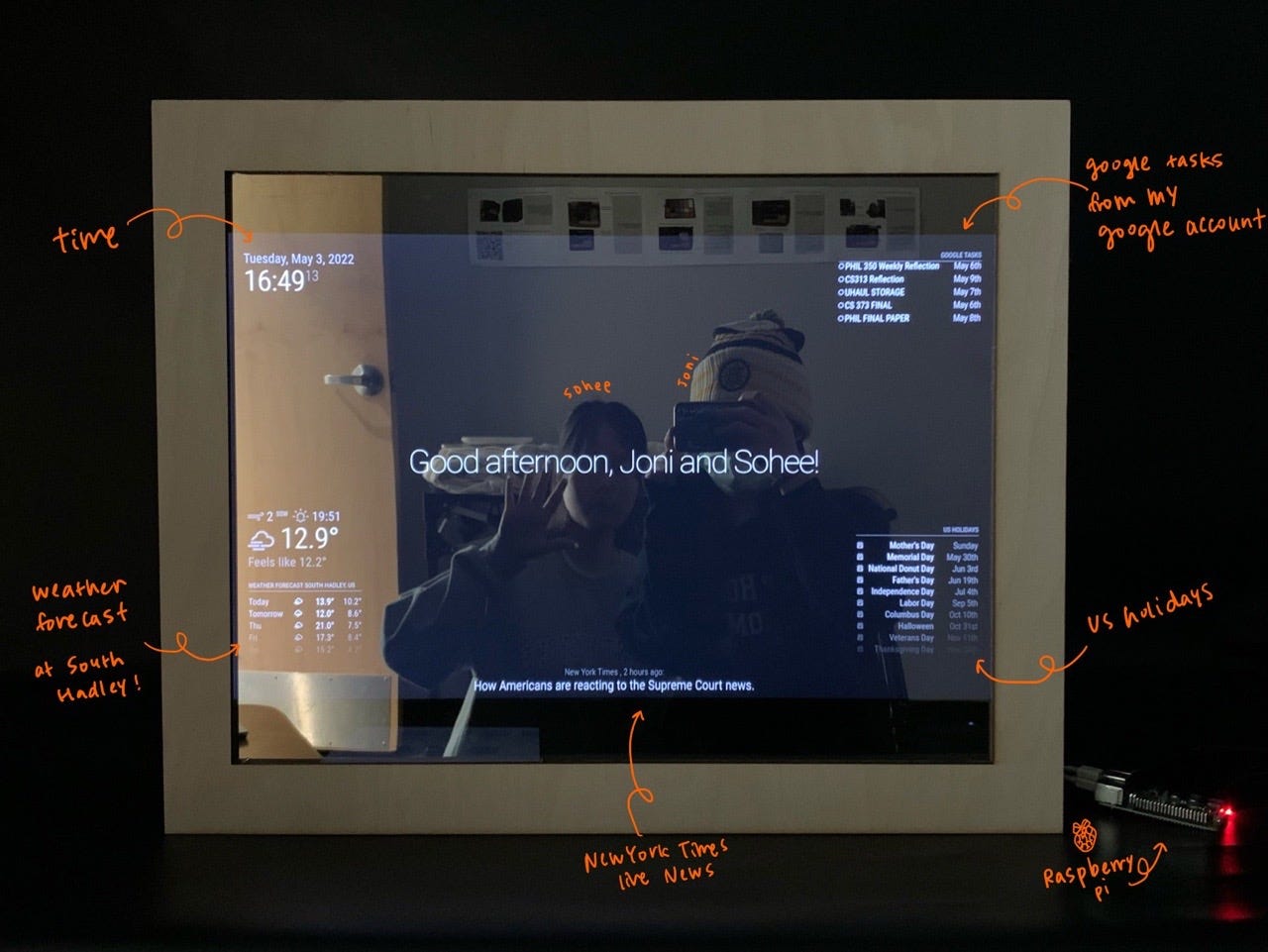
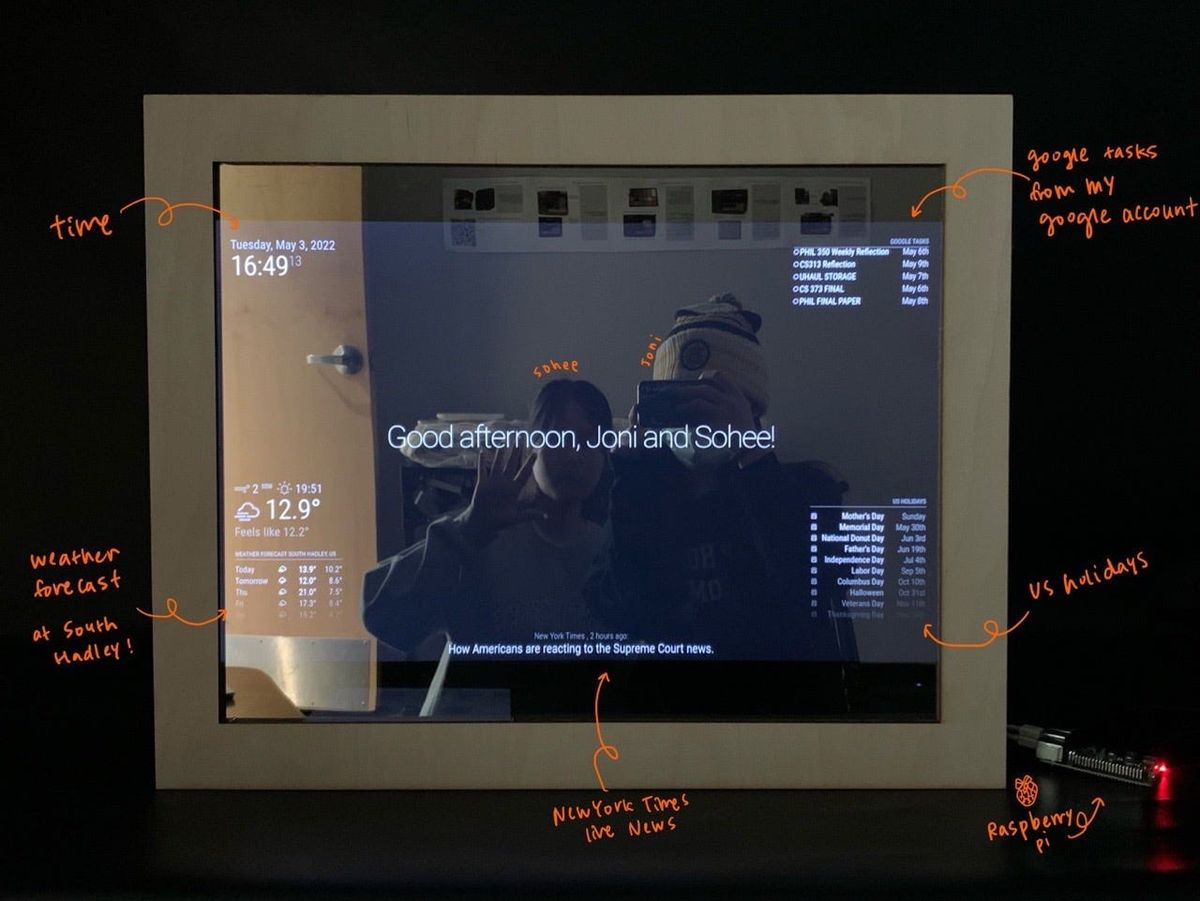
Here, we added clock, weather, google tasks, holidays, New York times modules!
Part 2: Building our own module
Initially, the objective for this semester was to set up the magic mirror, but we accomplished it more quickly than anticipated. As we explored and integrated third-party modules, we discovered a limited variety of options available. This led us to create a new module for the remainder of the semester.
An Overview: What are we building now?
While coming up with ideas for a new module that effectively leverages the mirror’s capabilities, we considered modules that helps exercising, meditating, or learning sign language. In the end, we chose a module for learning American Sign Language, allowing users to simultaneously view themselves in the mirror and watch an instructional video.
This is the link for the module that we built, MMM-ASL.

Features / How we coded
Randomly show sign language gifs
- Generate random number
- Update interval (utilized MMM-EyeCandy module)
// Store gif title and urls to list
this.gifUrls = [
	["Again", "<https://media.giphy.com/media/vxNVATiedMAufTqPBB/giphy.gif>",],
	["Bathroom", "<https://media.giphy.com/media/QZWdLEDNAz6yRN2Hhp/giphy.gif>",],
	["Cat", "<https://media.giphy.com/media/5lwwL1WPR9Dvs6qKrO/giphy-downsized-large.gif>",],
	...// Generate a ramdom number (0 to length(gifUrls)-1)
this.random =this.gifUrls[Math.floor(Math.random() * (this.gifUrls.length))];
this.url =this.random[1];
this.word =this.random[0];// Set Interval as 10000ms and update the screen with a new element in the list
setInterval(()=>{
	this.random =this.gifUrls[Math.floor(Math.random() * (this.gifUrls.length))];
	this.url =this.random[1];
	this.word =this.random[0];
	self.updateDom(500);
}, 10000);
Showing gifs
// Mini version
// Create div element for container
var container = document.createElement("div");
container.classList.add("mini-out");// Create img element for gif
var image = document.createElement("img");
image.classList.add("mini-photo");
image.src = this.url;
container.appendChild(image);// Create text element
var text = document.createElement("text");
text.innerHTML = this.word;
text.classList.add("mini-word");
container.appendChild(text);
return container;
Challenges
- Initially faced challenges setting up custom modules as it was our first time building our own module
→ We researched various third-party modules to find those with similar functions - Implementing CSS styling directly in JS was new to us
→ We examined numerous examples on GitHub to learn the practice
Further 🚀
- Entering to full screen with a sensor detection(voice or motion)
- Camera Sensor
- Utilizing machine learning to show the user’s accuracy with their sign language
- Face recognition for user login